Free Expense Log Canva Template
Tracking expenses doesn’t have to mean clunky spreadsheets, forgotten receipts, or late-night data entry marathons. The Free Expense Log Canva Template is a thoughtfully designed, print-ready tool built for real life—not just theory. It’s not another generic PDF you’ll download and forget. This is a living document: editable, adaptable, and grounded in practicality. Whether you’re budgeting for a side hustle, managing freelance income, planning a small business launch, or simply reclaiming control over your monthly cash flow, this template meets you where you are—with clarity, consistency, and creative flexibility.
A Tool Built for Real-World Use
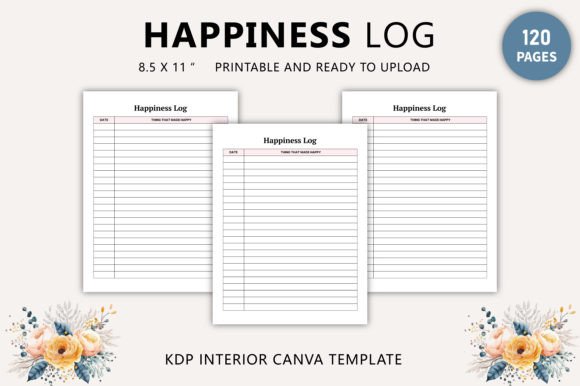
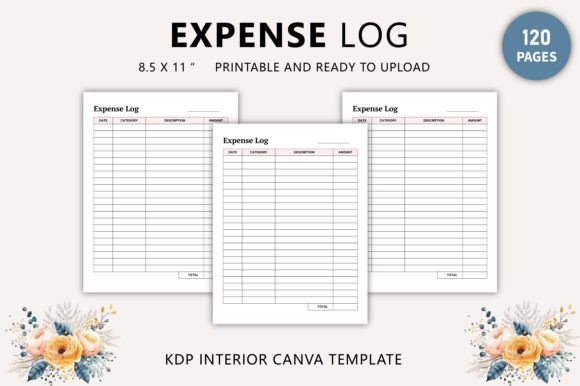
What sets this Free Expense Log Canva Template apart isn’t just its clean layout—it’s how it bridges intention and action. At 8.5 x 11 inches and 120 pages, it’s sized for desk use, binder storage, or even professional printing. Every page renders at 300 DPI in CMYK color with no bleed—so what you design in Canva prints exactly as intended. That matters whether you’re handing a physical copy to a client, submitting interior files for KDP publishing, or assembling a branded workbook for your coaching program.
The package includes three key assets: an editable Canva link, a high-resolution print-ready PDF, and source files in JPG and PNG. You’re not locked into one format or platform. Need to tweak fonts for accessibility? Adjust column widths for a specific category of expenses? Swap icons to match your brand palette? You can—without design experience. Canva’s intuitive interface means changes take seconds, not hours.
Creative Possibilities Beyond Basic Tracking
This isn’t just a log—it’s a foundation. Think of the Free Expense Log Canva Template as raw material for projects that serve distinct goals and audiences:
- For educators and trainers: Duplicate pages and add reflection prompts (“What surprised you this week?” or “Which expense could be reduced next month?”) to turn passive logging into active financial literacy practice.
- For freelancers and solopreneurs: Insert project-specific tabs—color-coded by client or service type—to track time + expenses side-by-side, then export summaries for invoicing or quarterly tax prep.
- For KDP publishers: Use the interior file as-is—or layer in custom cover art, chapter dividers, and resource pages (e.g., “Top 5 Tax-Deductible Expenses for Creatives”) to build a full-value workbook sold on Amazon.
- For nonprofit coordinators or community groups: Repurpose sections to track grant-funded purchases, volunteer reimbursements, or event supply costs—keeping accountability transparent and reporting effortless.
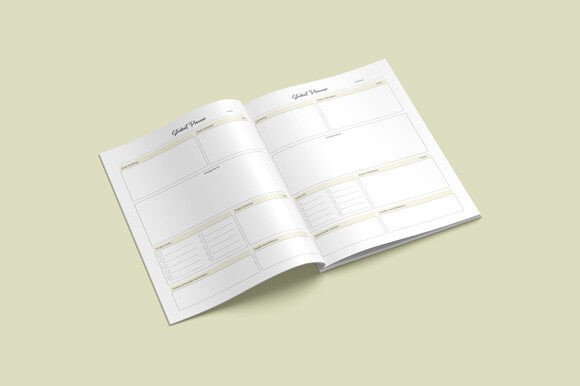
You don’t need to start from scratch. The original design is 100% unique—no stock layouts or recycled templates—and structured to support logical flow: date, description, category, amount, payment method, notes. But within that framework, variation thrives. Try bold headers for visual scanning. Add subtle grid lines only where needed. Use Canva’s brand kit to auto-apply your logo, colors, and fonts across all 120 pages in one click.
How Different Users Adapt It With Purpose
A graphic designer launching a personal finance course might embed QR codes linking to short video tips beside each expense category—turning static pages into interactive learning tools. A small café owner could print double-sided copies, laminate the first 10 pages as a durable counter log, and keep the rest digital for weekly review. A homeschool parent may simplify categories to “Groceries,” “Learning Supplies,” and “Family Outings,” then add smiley-face icons for kids to mark spending decisions together.
The key is alignment—not decoration. Ask yourself: Who will use this? What action should it prompt? Where will it live—in a notebook, on a tablet, or as part of a larger product? That focus keeps customization intentional. For example, if your audience reads on mobile, prioritize vertical space and large tap targets in your Canva edits. If it’s bound and printed, ensure margins stay generous and text remains legible at 10pt minimum.
Practical Tips for Consistency & Clarity
Even small choices impact usability. Here’s what works in real-world testing:
- Stick to 6–8 core categories. Too many dilute focus; too few force awkward lumping. Start with “Food,” “Transport,” “Utilities,” “Subscriptions,” “Supplies,” “Health,” “Entertainment,” and “Miscellaneous”—then refine based on your actual spending patterns.
- Use consistent date formatting. Choose MM/DD/YYYY or DD/MM/YYYY—and apply it everywhere, including headers and footers. Avoid mixing styles, especially if sharing with others or exporting to Excel later.
- Leave breathing room. Don’t overcrowd rows. Ample white space between entries reduces visual fatigue and makes handwritten notes easier to read months later.
- Label every page clearly. Include a running header like “Expense Log | Page 27 of 120” so loose pages stay organized—even when shuffled in a busy bag or drawer.
And remember: originality isn’t about complexity. It’s about solving a real problem in your voice. That might mean adding a “Monthly Snapshot” summary page at the end of each section—or embedding a simple bar chart placeholder you fill in manually each month. Those thoughtful touches signal care—not just capability.
Why Print-Ready Still Matters
In a world of cloud sync and auto-backups, tactile tools remain essential. Studies show people retain information better when writing by hand—and tracking money is deeply behavioral, not just numerical. The Free Expense Log Canva Template supports both modes: edit digitally, print physically, annotate freely. Its 300 DPI resolution and CMYK color profile ensure sharp text and accurate tones—critical if you’re printing for clients, selling on KDP, or presenting in person.
Plus, having a single, cohesive PDF means no version confusion. No more “Expense_Log_FINAL_v3_revised_FINAL.pdf.” Just one clean file—ready to share, print, or publish. And because it’s yours to customize, it grows with you. Add new categories as your business evolves. Swap out seasonal headers. Translate sections for bilingual teams. The structure stays solid while the content stays relevant.
This Free Expense Log Canva Template isn’t about perfection. It’s about progress—measurable, manageable, and quietly empowering. It invites you to pause, observe, and choose—not just record. Whether you’re sketching ideas on paper, building a digital product, or guiding others toward financial confidence, start here. Edit with purpose. Print with intention. Track with clarity.